How to Use AI for Content Creation: 6 Practical Workflows That Actually Work (2026)

Disclosure: This post may contain affiliate links. If you purchase through these links, we may earn a small commission at no extra cost to you.
TL;DR: AI won't replace content creators — but creators who use AI effectively are already outproducing those who don't. This guide covers six practical workflows for using AI in writing, video scripting, social media, SEO, image creation, and repurposing. No hype, just processes that work.
Table of Contents
- Why AI Content Creation Has Changed in 2026
- Workflow 1: Writing Blog Posts (Without Sounding Like a Robot)
- Workflow 2: Video Scripts and YouTube Content
- Workflow 3: Social Media Content at Scale
- Workflow 4: SEO Research and Content Briefs
- Workflow 5: AI Image Creation for Content
- Workflow 6: Repurposing One Piece of Content Into Many
- The Tools Worth Paying For (And What to Skip)
- Mistakes That Make AI Content Obvious (And How to Avoid Them)
- FAQ
Why AI Content Creation Has Changed in 2026 {#why-now}
Two years ago, AI content creation was a novelty. You'd prompt ChatGPT, get something passable, and spend an hour editing out phrases like "In today's fast-paced world" and "it's important to note that."
That era is mostly over — but not because AI got so good that the output is automatically usable. It changed because creators learned how to work with AI. The people getting real results aren't the ones treating AI as a ghostwriter. They're the ones treating it as a research assistant, a first-draft machine, an idea generator, and a production accelerator.
The gap between AI-assisted creators and everyone else is widening. A solo creator with a good AI workflow can now produce what a small team was generating two years ago. This guide is about building that kind of workflow.
Workflow 1: Writing Blog Posts (Without Sounding Like a Robot) {#writing}
The most common AI writing mistake is asking for a finished article and publishing what you get. The output will be accurate-ish, bland, and immediately recognizable as AI-generated by anyone who reads regularly.
The workflow that actually produces good content looks more like this:
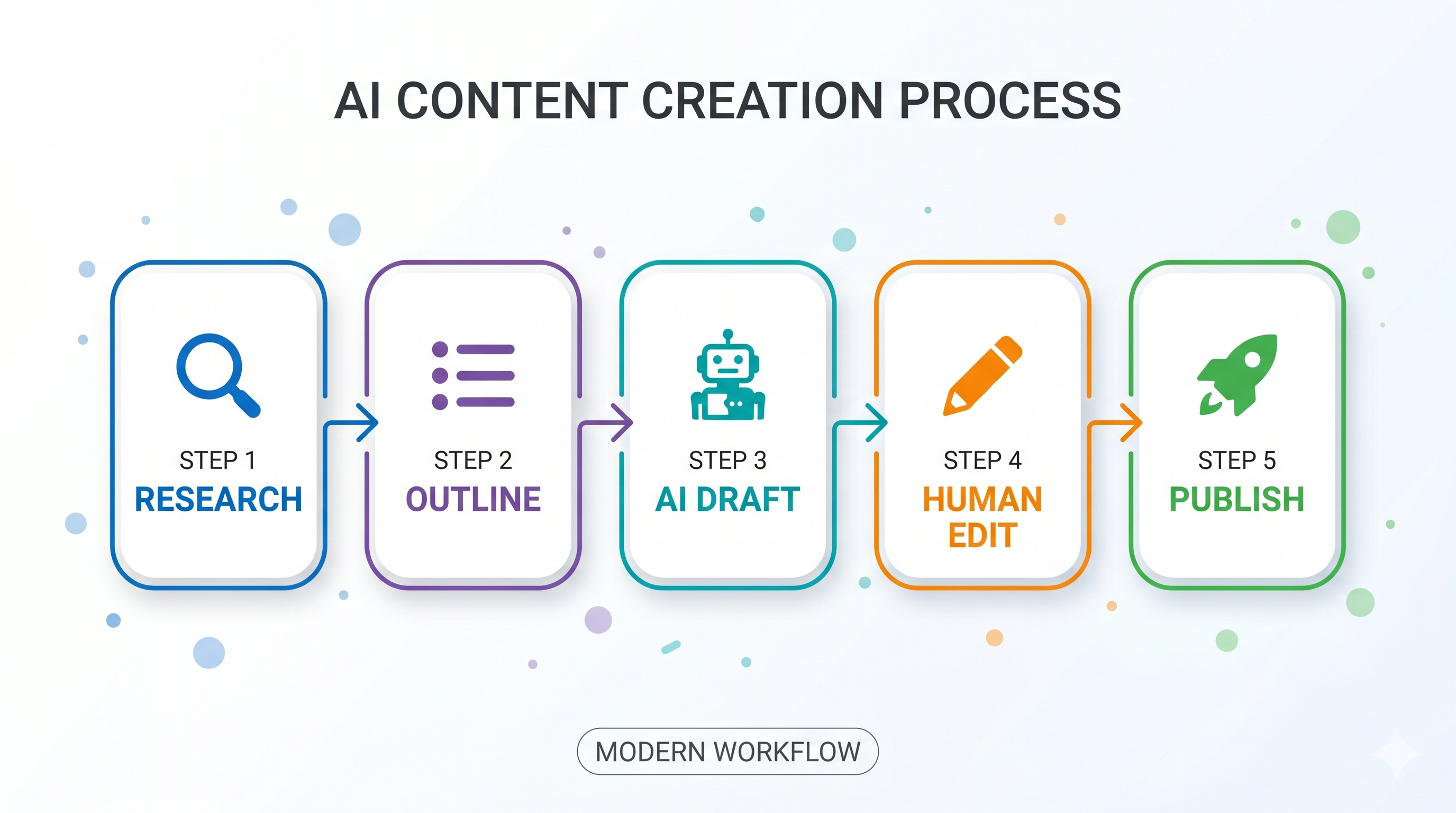
Step 1: Research first, write second
Use Perplexity, ChatGPT with web search, or Google's AI Overviews to gather the landscape of a topic. Don't ask for "a complete guide to X." Ask: "What are the five most contested questions about X right now?" or "What do beginners most commonly get wrong about X?" These prompts produce perspectives, not summaries.
Step 2: Create the structure yourself
Write your own outline. AI outlines tend to be generic (Introduction → What Is X → Why X Matters → Tips → Conclusion). Your lived experience and reader knowledge will produce a better structure.
Step 3: Use AI to fill sections, not write the post
Once you have an outline, prompt section by section. "Write a 200-word explanation of [specific concept] for someone who has used ChatGPT but never tried Claude." Specificity is everything.
Step 4: Rewrite the AI draft in your voice
This is the non-negotiable step. AI output is a scaffold. Read each paragraph and ask: would I have actually phrased it this way? If not, rewrite it. Your specific word choices, analogies, and opinions are what make content worth reading.
Step 5: Add original observations
The single biggest differentiator between AI-assisted content that ranks and content that doesn't: unique observations that AI couldn't generate. Your own experience using a tool, a result you saw, a comparison you made. Even one or two original data points transforms the post.
Tools for this workflow: ChatGPT Plus or Claude for drafting, Perplexity for research, Grammarly or Hemingway for final editing.
Workflow 2: Video Scripts and YouTube Content {#video}
YouTube is one of the highest-leverage content channels for AI assistance because scripts are inherently structured and first-draft quality matters less than in final written content — you'll be recording anyway, and your delivery will shape the finished product.
The AI-assisted YouTube workflow:
Hook generation: The first 30 seconds of a YouTube video determine whether most viewers stay or leave. Use AI to generate 10 different hook options for your topic. Then pick the best one and rewrite it in your delivery style. "Give me 10 different ways to open a YouTube video about [topic] that creates curiosity without clickbait" is a prompt that consistently produces usable options.
Script outlining: Ask AI to suggest a logical progression for your video content. "Here's my topic: [X]. Here are the three points I want to make: [Y, Z, W]. Suggest a narrative arc that builds tension and pays off in the third section." AI is genuinely good at narrative structure.
B-roll and visual description: Ask AI to suggest specific visual examples for each talking point. This is useful for documentaries, explainers, and educational content where visuals need to match narration.
Chapter and timestamp generation: After you have a draft script, ask AI to generate chapter titles and estimated timestamps. This improves YouTube's navigation experience and can help your video appear in chapter-based search results.
Tools for this workflow: ChatGPT or Claude for scripting, Descript for AI-assisted editing and automatic transcription, CapCut for short-form video with built-in AI features.
Workflow 3: Social Media Content at Scale {#social-media}
Social media is where AI assistance has the clearest ROI for content creators. The content is short, the turnaround is fast, and the volume demand is relentless.
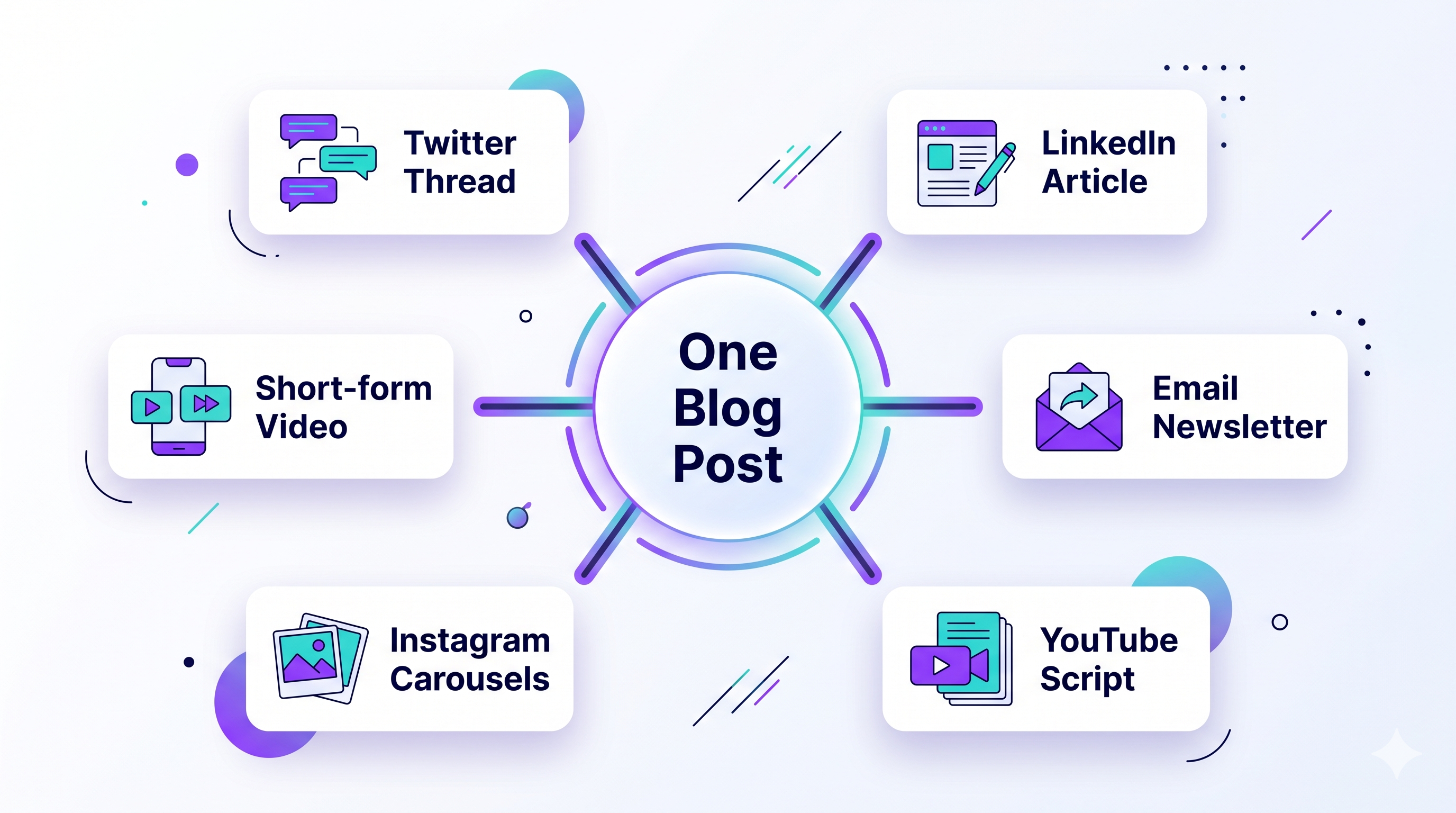
The core framework: One idea, many formats
Take a single insight or observation and ask AI to transform it into:
- A Twitter/X thread (5–7 tweets with a hook and payoff)
- A LinkedIn post (longer, professional framing, one clear takeaway)
- An Instagram caption (visual-first, shorter, more emotional)
- A Threads post (casual, conversational, maximum two paragraphs)
One 15-minute writing session can produce a week of social content from a single source idea.
Engagement and comment response:
AI is useful for drafting responses to common questions in your comments. You still personalize and send manually, but having a starting draft for "how do I get started with X?" or "is this good for beginners?" saves real time when you're responding to a hundred comments.
Content calendar planning:
Ask AI to generate 30 content ideas for a specific niche and time period. Treat this as a brainstorming dump, not a final plan. Highlight the 10 that feel native to your voice and discard the rest.
Tools for this workflow: ChatGPT or Claude for content generation, Buffer or Later for scheduling, Canva for visual assets.
Workflow 4: SEO Research and Content Briefs {#seo}
AI has genuinely disrupted keyword research — not by replacing tools like Ahrefs or Semrush, but by making the gap between "keyword found" and "content written" much shorter.
AI-assisted SEO workflow:
Step 1: Identify the topic cluster
Start with your main keyword and ask: "What are 20 related questions someone searching for [keyword] might also have?" This surfaces long-tail variations and topical coverage gaps.
Step 2: Analyze search intent
For each candidate keyword, ask AI to classify whether the intent is informational ("how does X work"), navigational ("X pricing page"), or transactional ("buy X"). This shapes how you write the content.
Step 3: Generate a content brief
The content brief is where AI saves the most time. Prompt: "Create a detailed content brief for a 2,500-word blog post targeting the keyword '[X]'. Include: suggested title, meta description, H2 headings, key points for each section, and 5 FAQ questions the post should answer." Use this as your writing guide, not as final content.
Step 4: People Also Ask optimization
Identify 5 PAA questions for your keyword and make sure each one has a direct 40–60 word answer somewhere in your post. AI can draft these answers; you verify accuracy.
Tools for this workflow: Ahrefs or Semrush for keyword data, ChatGPT or Claude for briefs and PAA answers, Google Search Console for post-publish tracking.
Workflow 5: AI Image Creation for Content {#images}
Content that includes visuals gets more engagement, more shares, and — when those images include relevant alt text — marginally better SEO. The problem is that sourcing, creating, or commissioning images takes time.
AI image generation has largely solved this for blog and social media content.
Practical image workflow for content creators:
Hero images: Use Midjourney or ChatGPT Images for custom hero images. The prompt should describe the mood and visual metaphor, not a literal scene. "Warm, editorial-style illustration of a person at a minimalist desk with soft morning light, top-down view, no text" produces usable hero images across a range of topics.
Infographics: Use Canva's AI features or prompt ChatGPT to generate the copy and structure for an infographic, then build it in Canva. AI + Canva is faster than Canva alone.
Text-overlay graphics for social: If you need images with readable text (quotes, stats, tips), use Ideogram rather than Midjourney. The text accuracy difference is significant enough to matter for professional-looking social media assets.
Thumbnails: YouTube thumbnail creation is a good use case for AI-generated images as starting points. Generate a base image in Midjourney, bring it into Canva, and add your text overlay and branding.
Workflow 6: Repurposing One Piece of Content Into Many {#repurposing}
The highest-leverage AI use case for established creators isn't creating new content — it's repurposing existing content faster.
The repurposing stack:
Start with your highest-performing piece of content (blog post, video, podcast episode). Feed the full transcript or text into Claude or ChatGPT and prompt:
- "Extract 10 standalone tips from this post that would each work as a Twitter thread"
- "Write a LinkedIn article based on the main argument of this content, with a different framing for a professional audience"
- "Summarize this into a 5-email mini-course sequence"
- "Create a 30-day content calendar of short posts based on the ideas in this piece"
A single 2,500-word blog post can generate a month of social content, two newsletter editions, a video script outline, and five short-form clips — with AI doing the structural transformation and you doing the voice and accuracy pass.
The Tools Worth Paying For (And What to Skip) {#tools}
| Tool | Monthly Cost | Worth It? | Best For |
|---|---|---|---|
| ChatGPT Plus | $20 | ✅ Yes | Writing, research, image gen, everything |
| Claude Pro | $20 | ✅ Yes (alongside ChatGPT) | Long-form writing, document analysis |
| Midjourney Standard | $30 | ✅ If you need volume images | High-quality custom visuals |
| Ideogram Basic | $7 | ✅ Yes | Text-in-image graphics |
| Canva Pro | $15 | ✅ Yes | Visual content production |
| Grammarly Premium | $12 | 🟡 Maybe | Editing, if you don't already edit well |
| Jasper / Copy.ai | $40–$59 | ❌ Skip | ChatGPT does everything these do for less |
| Perplexity Pro | $20 | 🟡 Maybe | Research-heavy workflows |
The honest answer for most creators starting out: ChatGPT Plus ($20) + Canva Pro ($15) covers 80% of the workflow. Add Midjourney if you need volume visuals.
Mistakes That Make AI Content Obvious (And How to Avoid Them) {#mistakes}
Mistake 1: Using AI's generic opening sentences
AI loves to open with "In today's world..." or "Whether you're a seasoned professional or a complete beginner..." Delete these immediately and write your own first line.
Mistake 2: Accepting the AI's outline without modification
AI outlines follow predictable patterns. Reorder sections, cut what doesn't serve your reader, add a section the AI missed. The outline should reflect your judgment, not the model's default.
Mistake 3: Never adding your own experience
The most detectable AI content is content that could have been written by anyone who read three articles on the topic. Add one thing only you could write: a specific result you got, a mistake you made, a tool comparison you actually ran.
Mistake 4: Publishing without reading aloud
AI text has a characteristic rhythm that's easy to detect and harder to edit on screen. Read your post aloud. Every sentence that sounds like it was recited rather than said naturally needs a rewrite.
Mistake 5: Over-relying on bullet points
AI defaults to bullet points for everything because they're easy to generate. Prose is harder and reads better. Convert at least half your bullets to flowing sentences.
Related Articles
- How to Write Better AI Prompts: A Beginner's Complete Guide (2026)
- Best AI Image Generators in 2026: Midjourney, ChatGPT, Ideogram & More Compared
- Top 10 AI Tools for Small Business Owners in 2026
FAQ {#faq}
Q: Will Google penalize AI-generated content?
A: Google's official position is that it evaluates content quality and helpfulness — not how it was produced. Thin, unhelpful, or duplicative AI content will rank poorly, just as thin human-written content would. Useful, original, well-structured content that serves search intent ranks regardless of how it was drafted. The issue isn't AI; it's quality.
Q: How long does AI-assisted content creation take compared to writing from scratch?
A: For an experienced content creator, AI-assisted workflows typically cut production time by 40–60% for research-heavy articles. The time savings are largest in the research and first-draft stages. The editing and voice pass takes roughly the same time regardless of whether you started with AI or not.
Q: Do I need to disclose that I used AI to write my content?
A: There's no universal legal requirement for non-sponsored content, but transparency is good practice. Many creators add a brief note like "Written with AI assistance, reviewed and edited by [name]." Google recommends transparency around AI-generated content. Some platforms (like Medium) have specific disclosure requirements. When in doubt, disclose.
Q: Which AI model is best for content creation?
A: ChatGPT (GPT-5) and Claude are both strong choices and experienced content creators often use both. ChatGPT is typically preferred for research-integrated writing and structured content. Claude is often preferred for long-form, nuanced writing where a consistent, careful tone matters. Try both on your actual use case — the right answer depends on your writing style and workflow.
Q: Can AI help with content in languages other than English?
A: Yes, though quality varies significantly. Spanish, French, German, Portuguese, and other major languages are reasonably well supported by GPT-5 and Claude. For less common languages, and especially for culturally specific content, human review is more important. For a blog targeting English-speaking audiences, AI quality is high enough to use with standard editing practices.
This post was written with AI assistance and edited by a human. AI tool pricing and capabilities were verified as of April 2026.
Disclosure: This post may contain affiliate links. We earn a small commission at no extra cost to you if you purchase through them.
'AI for Creators' 카테고리의 다른 글
| Best AI Video Generator Tools in 2026: 8 Platforms Tested for Every Creator Type (0) | 2026.05.03 |
|---|---|
| Best AI Image Generators in 2026: Midjourney, ChatGPT, Ideogram & More Compared (1) | 2026.04.26 |

